A useful DIY tech project starts with a small problem you can test. These five directions are practical learning options, not predictions about what everyone should buy next. Choose one, define a result you can measure, and budget for the time needed to maintain it.
1. Learn a small automation before adding AI
Start with a button, sensor, or timed action that works reliably. Add more complex processing only when you know what it should improve. For a temperature display, for example, the first goal is a repeatable sensor reading; a chatbot is not necessary.
Choose hardware for the workload. Raspberry Pi 5 is a single-board computer, while ESP32 is a microcontroller family. They are not interchangeable “AI boards.” Model size, memory, software support, and response time need checking before promising local machine learning.
If you use generated code as a learning aid, read it, check the pin assignments against the board documentation, and test the smallest part first. Keep a known-working version. Code that compiles can still behave incorrectly on hardware.
2. Build a small dashboard or workflow
A visual app builder or automation tool may suit a simple record-keeping task. Start with a dashboard of project notes or a reminder for maintenance, then test what happens when information is missing or a connection fails.
Before choosing a service, check its current limits, recurring cost, data export, and permissions. Decide where the records live and how you would recover them. A visual editor reduces some coding work, but it does not remove the need to understand the workflow.
3. Check smart-home compatibility with a real device
Matter can help supported devices work across platforms, but it does not make every old device compatible or replace every hub. The Connectivity Standards Alliance’s FAQ describes Matter certification and its use of technologies including Wi-Fi, Ethernet, and Thread.
Pick one supported device and write down the intended controller, supported functions, connection requirements, and firmware requirements. Verify those with both manufacturers before buying. Start with a light or sensor you can test without relying on it for a critical security function.
Your test should include what happens after a power interruption and whether the controls you need are available in the chosen platform. A Matter badge is useful information, but the exact product and platform still matter.
4. Learn network filtering without overclaiming security
Pi-hole is a DNS sinkhole that blocks queries to configured domains. It can be an educational way to see DNS behavior on a home network. It is not a complete security system, an antivirus replacement, or a guarantee that all advertising and tracking disappear.
Keep a record of the original DNS settings before experimenting and learn how to undo the change. Check that devices still resolve the sites they need. If a service breaks, investigate the blocked domain rather than disabling protections indiscriminately.
A VPN or firewall is a separate project with its own configuration and maintenance requirements. Choose a specific purpose and use official documentation; installing one network tool does not establish that the whole network is secure.
5. Reuse a working computer, not a damaged battery
An older working laptop may be useful for a local project notebook, coding practice, or a small server if its operating system remains supportable. Check its condition and power consumption, and erase personal information before donating or transferring it.
Do not turn dead, swollen, damaged, or unidentified phone batteries into a beginner power-bank project. Use an appropriate manufactured battery system instead. The EPA’s used lithium-ion battery guidance explains collection and recycling precautions; damaged batteries require advice from the manufacturer. Keep lithium batteries out of household trash and ordinary recycling bins.
Finish one small project
Write a short checklist before starting: intended result, required parts, complete cost, failure behavior, and rollback plan. When it works, record the setup and one limitation. Those notes make a better foundation for the next project than trying five unfamiliar tools at once.
Build this weekend: one project per trend
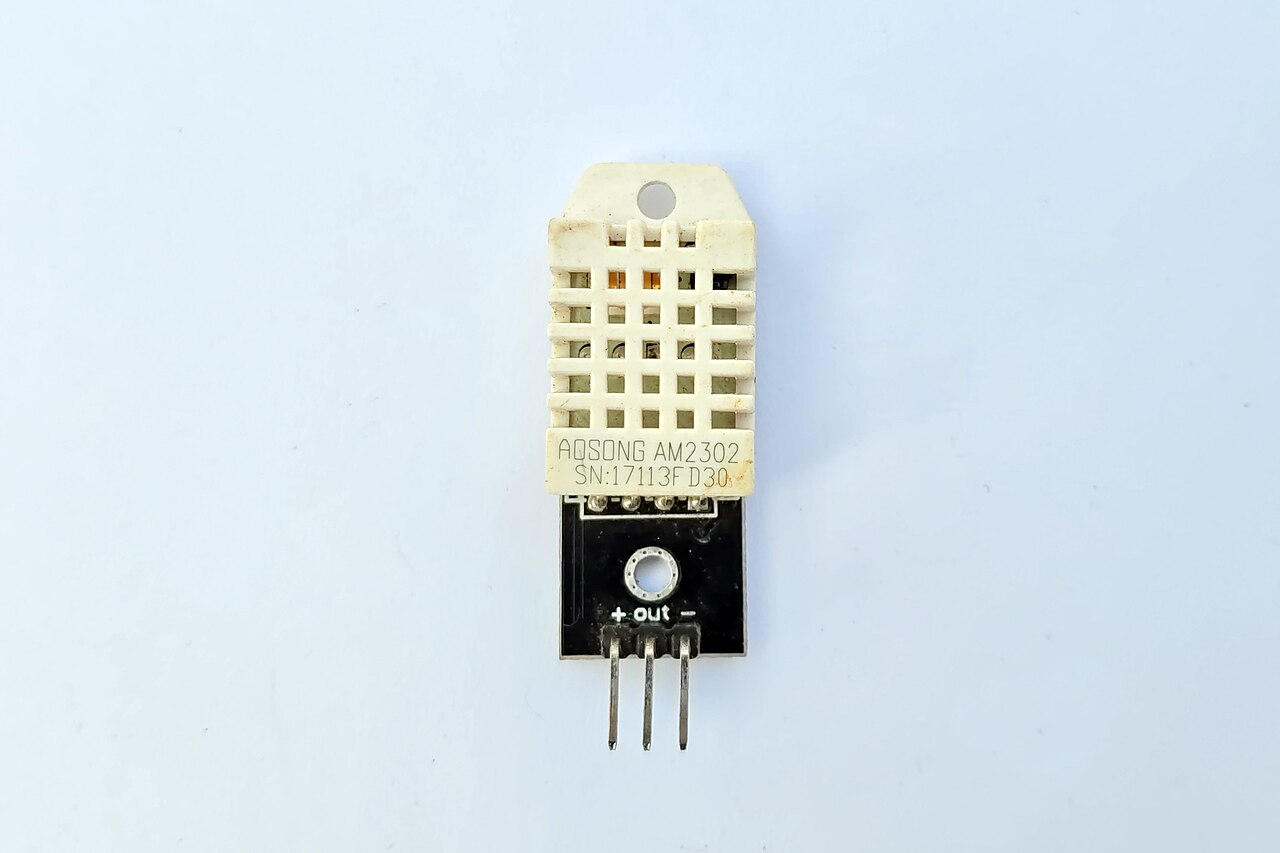
1. Workshop temperature texter
An ESP32 with a DHT22 sensor that texts your phone when the garage drops below freezing. Parts: ESP32 dev board, DHT22 sensor, USB power supply — under $15. Add hysteresis (alert at 35°F, clear at 38°F) so it doesn’t spam you at the boundary.
2. 3D-printer status board
A single-page dashboard showing your printer’s live status from OctoPrint’s API, displayed on an old tablet by the printer. Degrades gracefully — “printer unreachable” instead of a blank screen.
3. Matter compatibility test
Buy one Matter-certified smart bulb and run a week-long compatibility log: pairing, power-outage recovery, real feature support. Write down the exact model and firmware — a personal compatibility database of one.
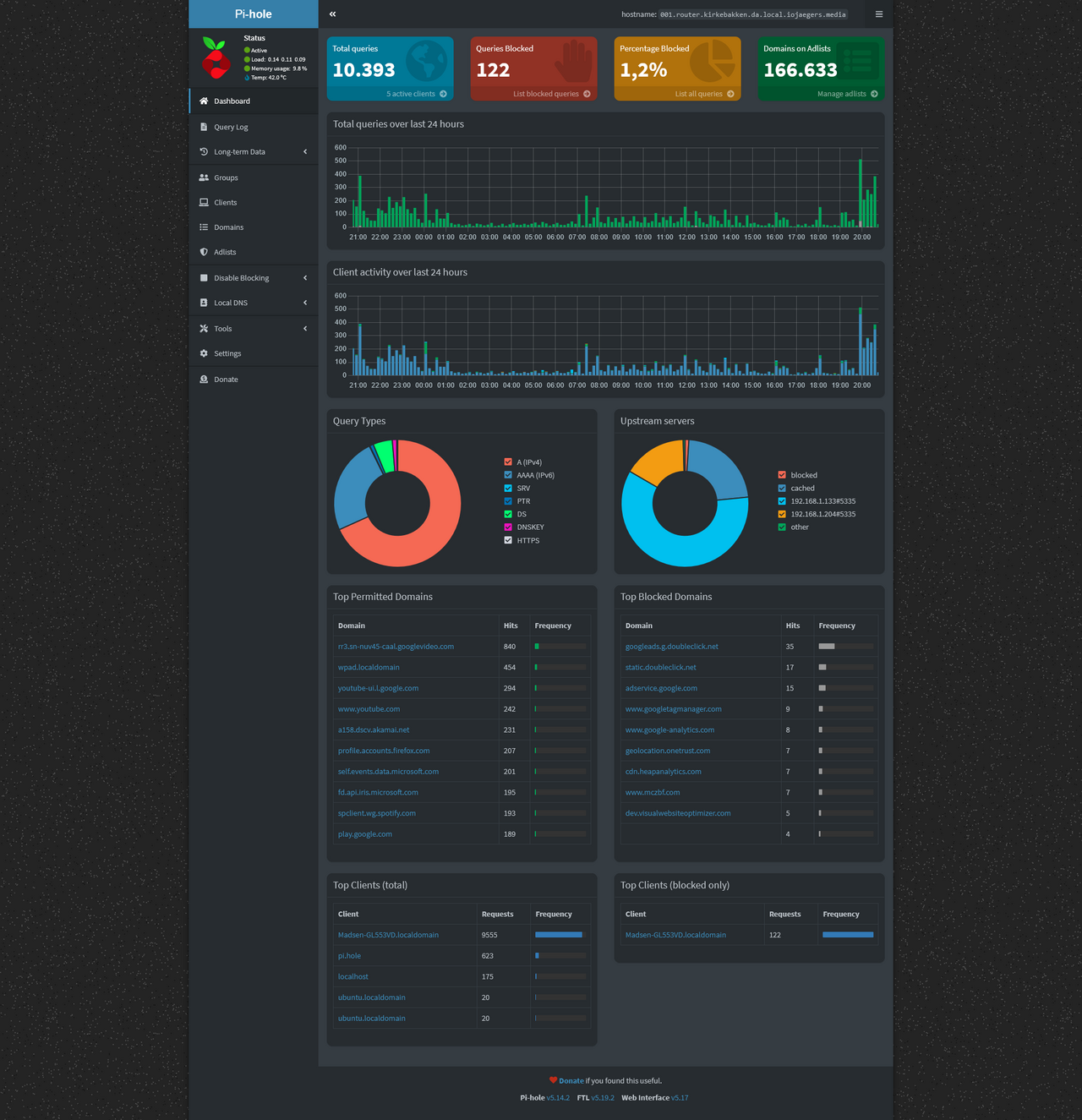
4. Pi-hole weekend
Install Pi-hole on a Raspberry Pi, point your router’s DNS at it, and watch the dashboard. The eye-opener is seeing which devices are the chattiest. Know how to revert the router’s DNS from memory.

5. Retired laptop file server
Turn an old laptop into a home file server — shared folder for backups and project files. Set a static IP, enable automatic updates, write down the admin password somewhere safe.
When the weekend build fights back
Expect the first version to fail. Every project has a known failure point: the sensor reads garbage values, the dashboard shows a blank page, the bulb refuses to pair, the Pi-hole breaks one app you actually use. Budget half your weekend for debugging. That’s not a sign you picked the wrong project — it’s the project teaching you how it really works.
Change one thing at a time. When something doesn’t work, resist the urge to rewire everything at once. Check power first: most “dead” electronics projects are power problems (wrong voltage, loose USB, brownout under load). Then check connections, then code. The boring checks solve the majority of failures, and they solve them fast.
Read the error literally. Beginners skim error messages; experienced makers read them word by word. “Connection refused” and “connection timed out” are different problems with different fixes. Copy the exact message into a search engine along with your board name — someone has hit it before.
Write down what fixed it. A one-line note — “DHT22 needs 2 seconds between reads,” “OctoPrint API key goes in the header, not the URL” — turns a frustrating Saturday into permanent knowledge. Future builds get faster because past builds were documented. Keep the notes where you’ll find them: a text file, a notebook, the comments in your own code.

The DIY Geek — hands-on guides for electronics, 3D printing, woodworking, and smart home.